 Showlane
Block playlists
Organize video, audio and image clips into blocks, control-room style.
- Play, Take and Cue
- Loop clips and blocks
- Transitions between clips: Cut or Fade
- Per-clip gain and per-block loudness normalization
Build your content into blocks, schedule it by the clock and put it on air with one key: to an external display or straight to SRT and RTMP streaming up to 1080p60. All in one app.
7 days free · no sign-up · Apple silicon Mac (M1+), macOS 13+ · about 15 MB
License €39 one-time, 1 Mac, no subscription · Watch the video
Showlane only runs on Macs with Apple silicon: open this page on a Mac to download it.
Showlane is for people who need simple, reliable playout, right from a Mac.
Drag in video, audio and image clips and organize them into blocks. Set in and out points on the waveform.
Cue blocks and run them with one key, or set them in the schedule at a fixed time or follow-on.
Send the output to a full-screen external display, or stream to YouTube, Facebook, Twitch or your own SRT server.
Organize video, audio and image clips into blocks, control-room style.
Set up your blocks and let Showlane run them.
Two independent layers for logos, lower thirds and animations.
Sources live in the same list as your clips.
External display or live stream, from the same app.
Work from the keyboard and carry your show anywhere.
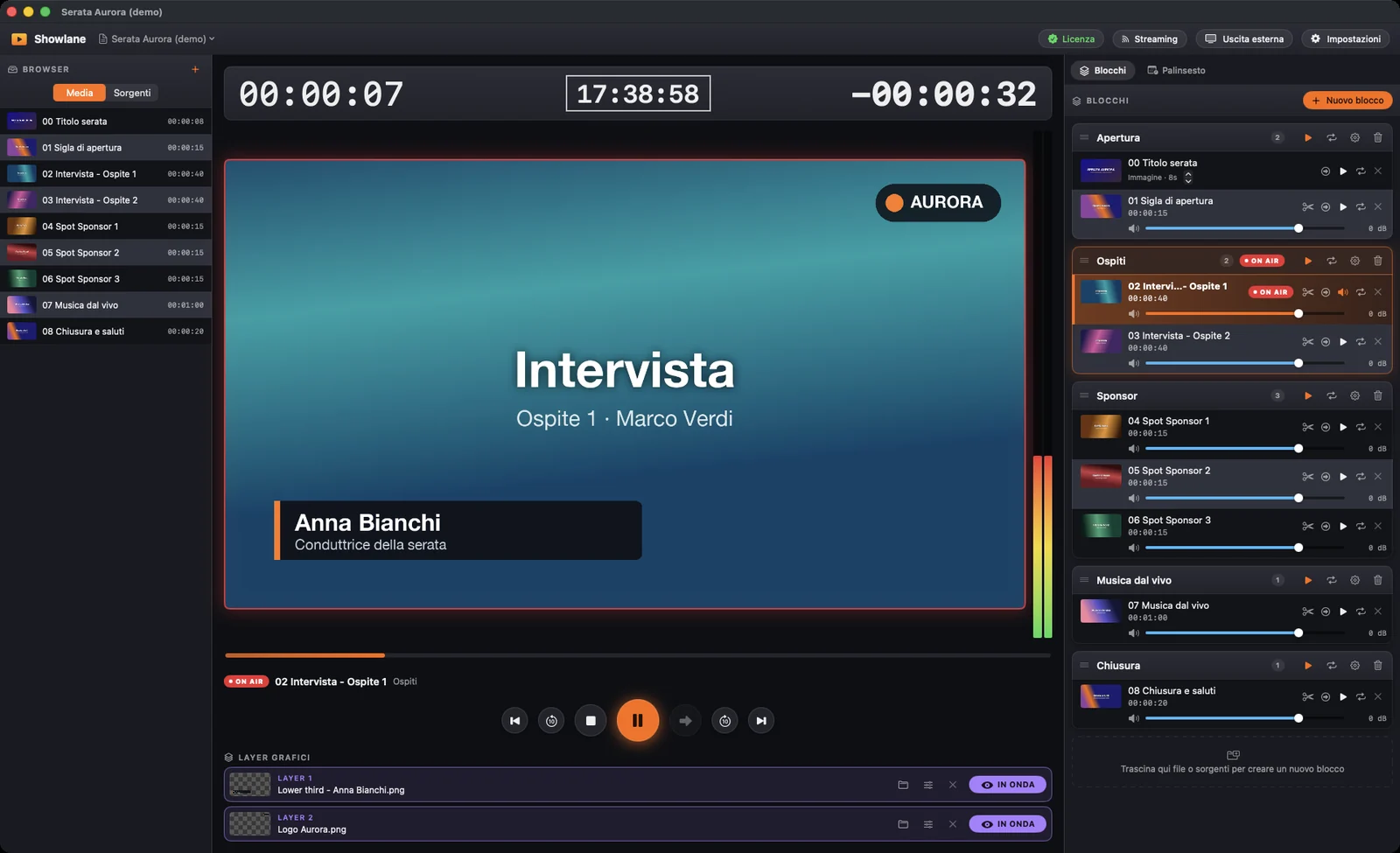
Timecode, remaining-time countdown and VU meters are always in view. Blocks run with Play, Take and Cue.
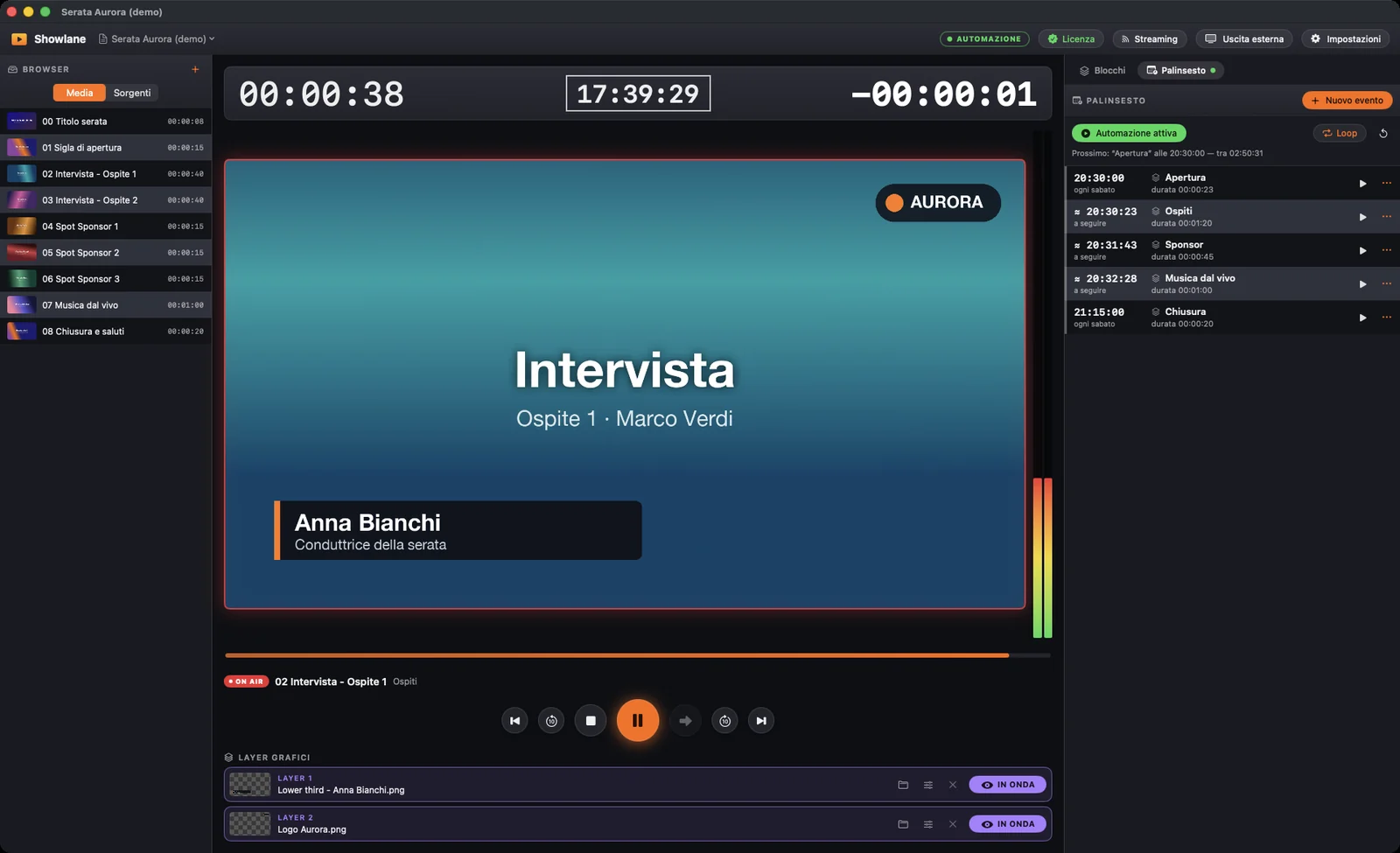
Set blocks at a fixed time or follow-on. Showlane cues shortly before start time and, if an event can't start on time, it never starts it off time.
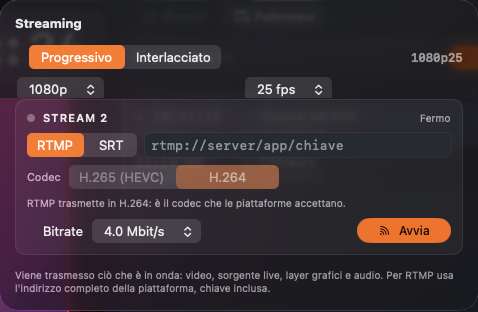
Stream over RTMP or SRT up to 1080p at 60 fps, progressive or interlaced. What is on air is what gets streamed: video, live source, graphics and audio.
Fictional demo evening («Serata Aurora», in Italian): no real videos, brands or names.
Download the trial and use it for 7 days with every feature. If you need it, buy the license.
7 days · every feature
For Macs with Apple silicon (M1 or later) and macOS 13 or newer.
Purchase happens on Gumroad. Your license key appears right away in your purchase receipt.
To check the file hasn't been altered, run shasum -a 256 Showlane-1.0.1.dmg in Terminal: the result must match the SHA-256 fingerprint below.
842354ec06ca1bb12f8e9140607fbcd46425575681f0a73ea5c649bce92f35a4No other software to install. On first launch macOS may ask for local network, camera and microphone access: they are needed for RTMP/SRT streams and capture cards.
No. Showlane only runs on Macs with Apple silicon (M1 or later) and macOS 13 or newer.
No, Showlane works on its own.
Yes. Download the free trial from this site: 7 days with every feature from first launch, no sign-up.
The file is signed with a Developer ID and notarized by Apple. You can also check its SHA-256 fingerprint in the «Trial and pricing» section.
You can still open the app and prepare and save your shows. Starting playback, streaming and external output requires a license. Anything already on air is never interrupted by expiry.
Each license covers 1 Mac. If you need it on more computers, buy one license for each. If you change Mac or reinstall macOS, write to us and we'll release the activation.
Yes, all updates are included in the price, at no extra cost.
You only need it to activate the license, once. After that the app works offline too; every so often, when it's online, it checks the license is still valid (for example after a refund). Streaming and network sources, of course, need a connection.
The key appears right away in your Gumroad purchase receipt and is also emailed to you. Paste it in Showlane > License… and activate (internet needed).
Yes. You alone are responsible for having the rights to play and broadcast your content (for example copyright and music licenses) and for following the rules of the platforms you stream to. See the terms of use.
Write to support@showlaneplayout.com.
Download the trial and use it for 7 days, with every feature.